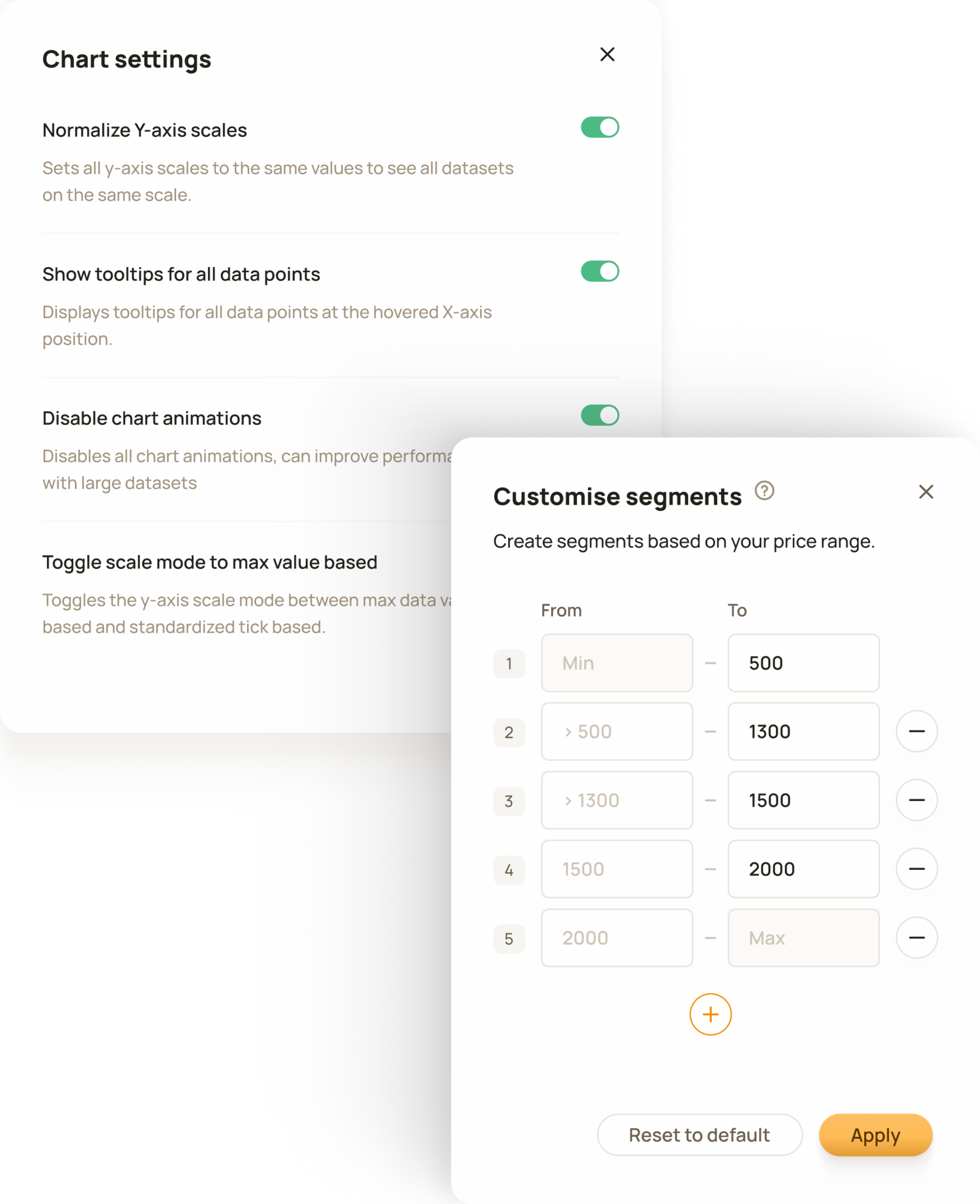
The tool includes detailed configuration options, allowing users to adapt it to their unique data and personal preferences.
B2B / SaaS / Web App
Priceindx
Visual Analytics is a tool built for retail and brand professionals, including sales managers, brand managers, category managers, and pricing specialists.
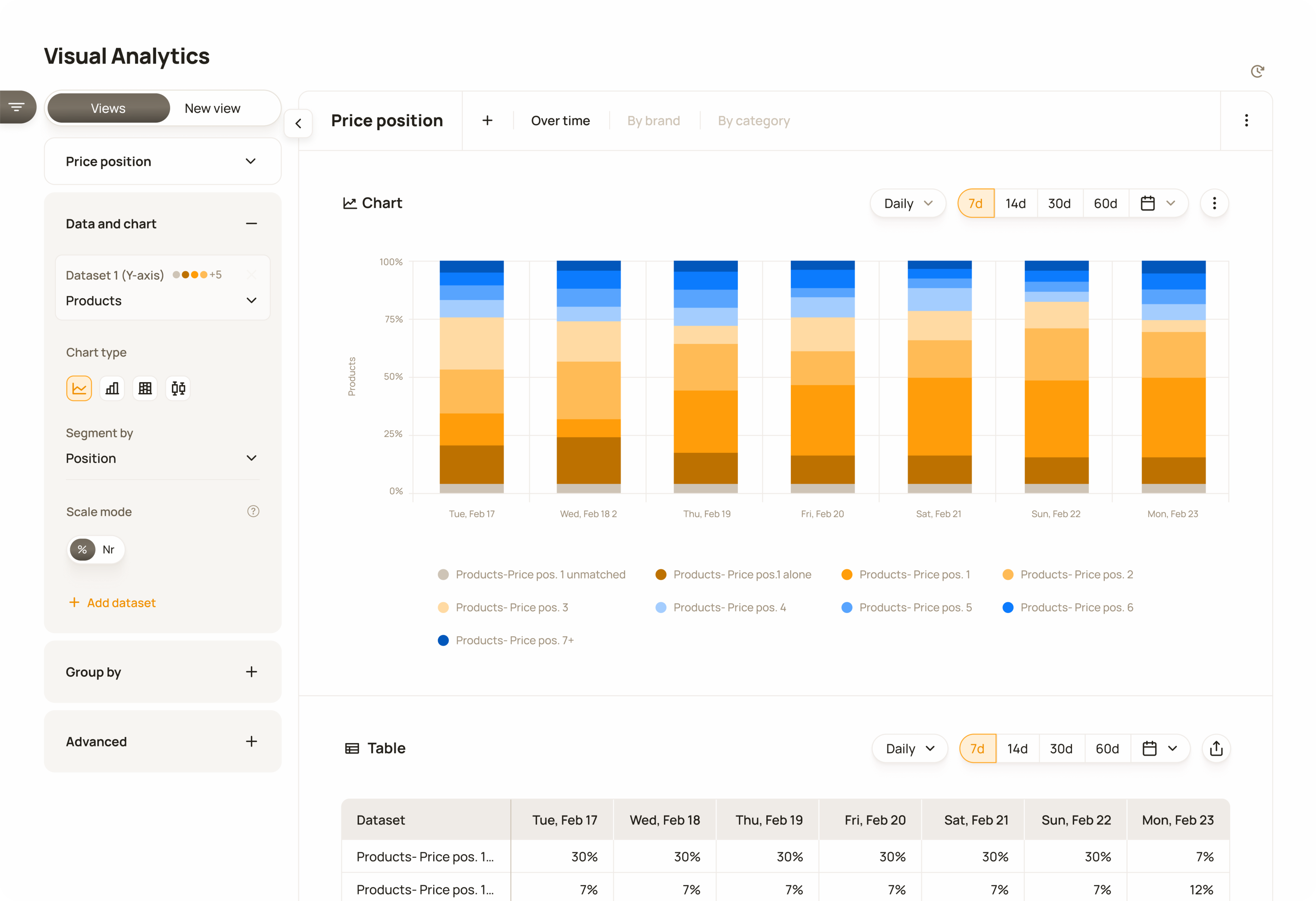
The main selection is in the top-left corner, where users can view presets or create new views. The chart is configured in the left panel, and time settings are controlled at the top.
Although Visual Analytics was not originally planned as a paid feature, its value and business potential proved greater than expected, leading to the decision to place it behind a paywall.
35%
Feature discovery rate
“It seems to be very useful so far.”
Customer quote
20%
Total feature adoption rate
60%
Trial start rate
“Insightful. I find it clear and user-friendly.”
Customer feedback
Based on 80+ customers. Metrics have been anonymised and rounded, and are presented without a timeframe to protect confidential company information.
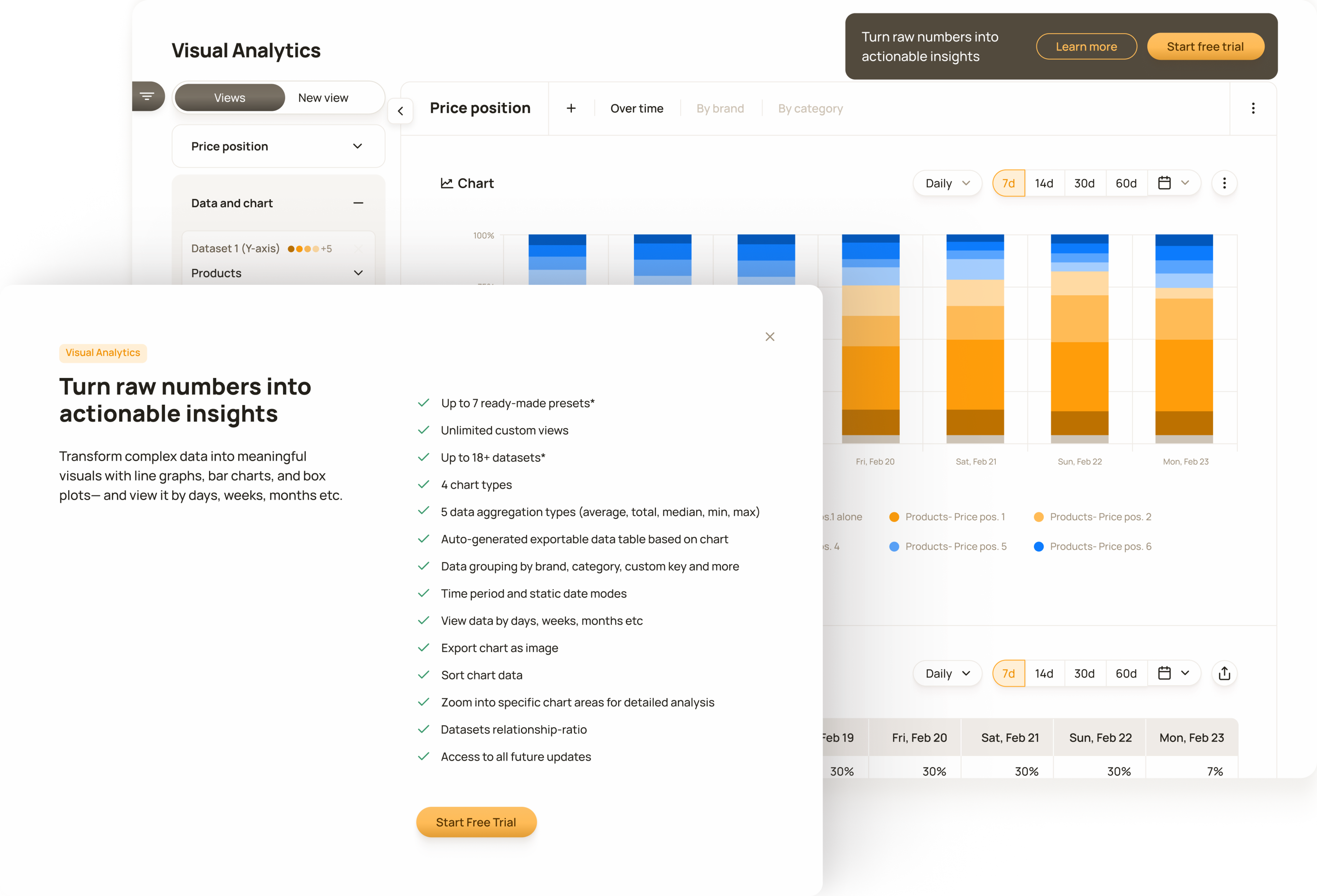
An upgrade prompt shown to customers without a Visual Analytics subscription. The 'Learn more' button opens a modal explaining the feature and its capabilities.
Visual Analytics was built in response to growing demand for aggregated, visualised market insights. The project also aligned with the company’s business strategy: to create a unique tool that competitors did not offer and strengthen the company’s competitive advantage.
Customers primarily had access to product-level data, which they used for operational purposes, but they expressed a need for aggregated, visualised data to support more strategic analysis.
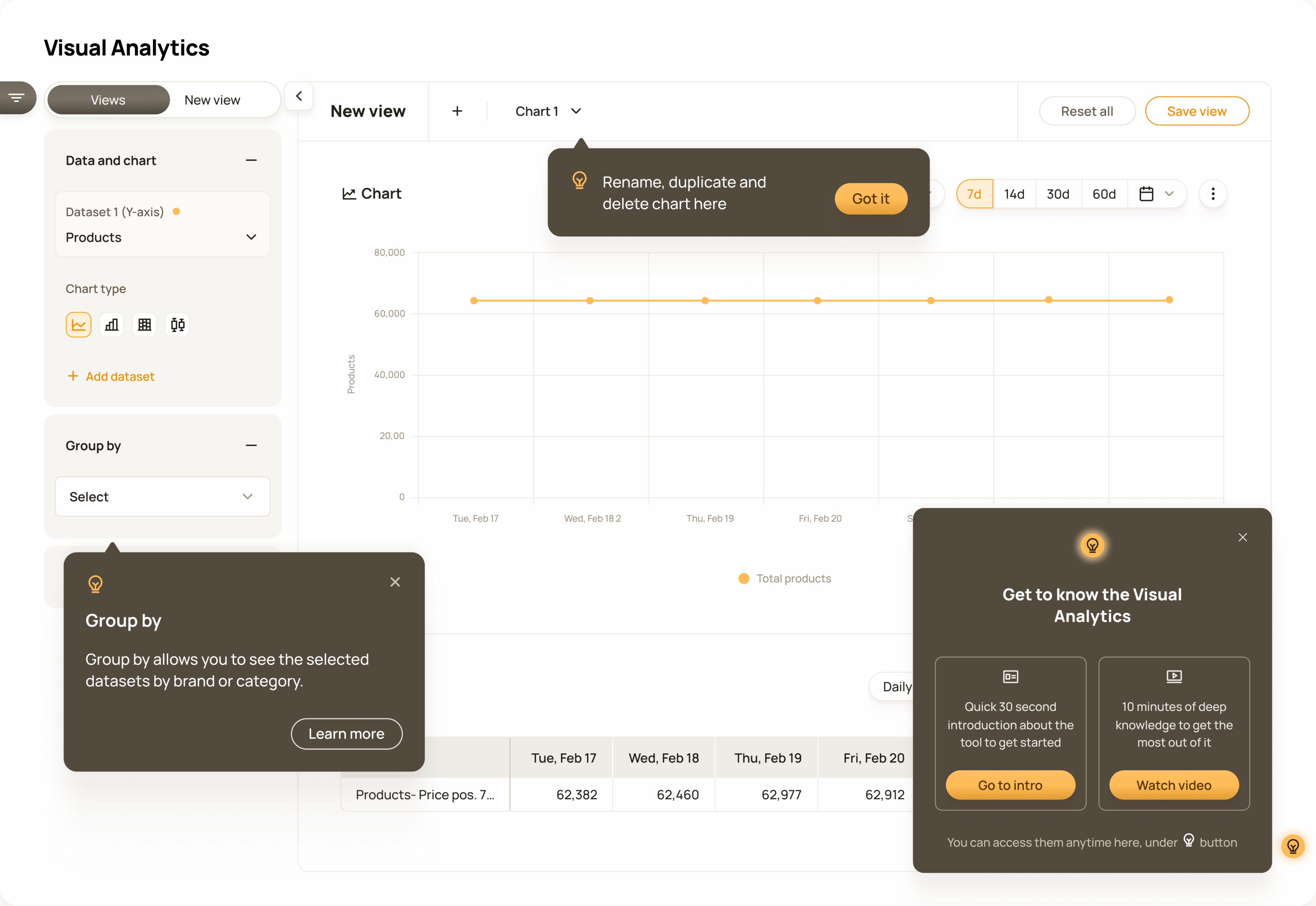
Guidance starts in the bottom-right corner with high-level functional and educational content, while contextual tooltips provide additional help during use.
The input came in as requests for individual charts and graphs, such as margin by category, price position by brand, or price changes compared with competitors.
The tool includes detailed configuration options, allowing users to adapt it to their unique data and personal preferences.
I transformed fragmented input and ideas into a comprehensive product concept in an environment with considerable ambiguity and uncertainty. I welcomed the challenge because I love concept creation. It required extensive research into the domain and our customers. Once I had something tangible to show, the uncertainty began to fade, and the whole team understood where we were heading.
I specified how datasets, aggregation methods, chart types, and colour systems should work together to meet universal data visualisation standards and prevent unsupported combinations.

Different colour logic is used depending on the data structure: sequential ranges, categorical values, conditional states, or diverging comparisons.
We decided to design the product around our largest customer database to ensure that the solution could support the most demanding use cases.

Although the feature includes built-in colour logic based on the nature of the data, users can customise chart colours if needed.
I chose live per-filter fetching because it matched users’ mental model of how a visualisation tool should behave. We optimised performance around this interaction model instead of weakening the experience to accommodate technical limitations.
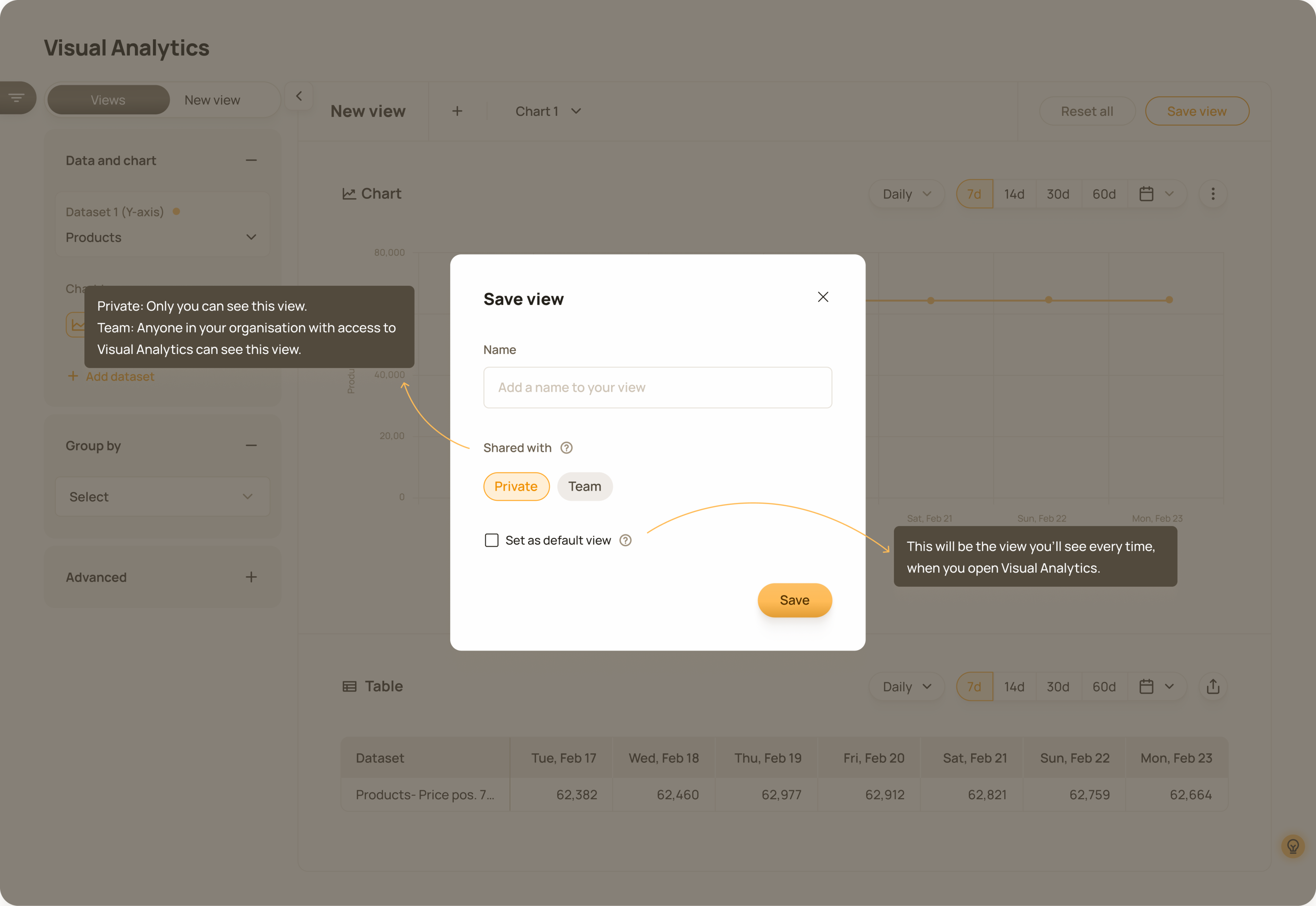
Users can create custom charts and graphs and save them for quick access later.
I chose an unmoderated testing approach with six customers, including enterprise clients. We gave them access to the beta version for approximately two weeks and gathered feedback through an online survey.
I wanted customers to use the tool in their natural work environment with their actual data. This helped reduce bias and better reflected real-world usage, ensuring that the feedback was realistic and meaningful.
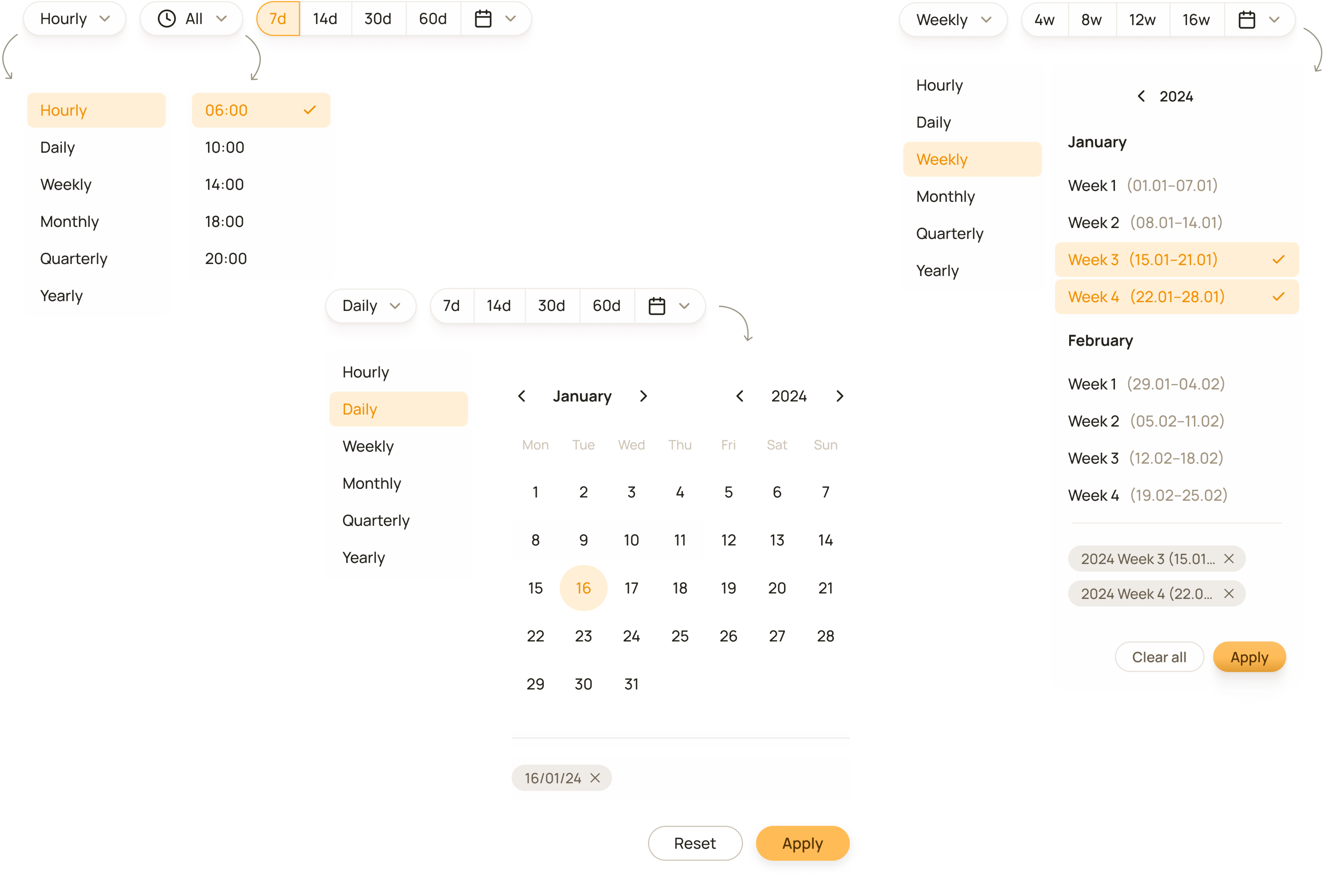
One of the most important functions is choosing a timeframe. Depending on each customer’s setup and available data history, the selection may vary.
Testing and post-launch feedback confirmed our early hypothesis that the tool’s usefulness would depend heavily on how customers used the rest of our product and on the data available to them. Although we knew it was not intended for every customer, we could still have reduced the impact of this limitation. In retrospect, I would have mapped customer profiles at the beginning and created a specific action plan for them.
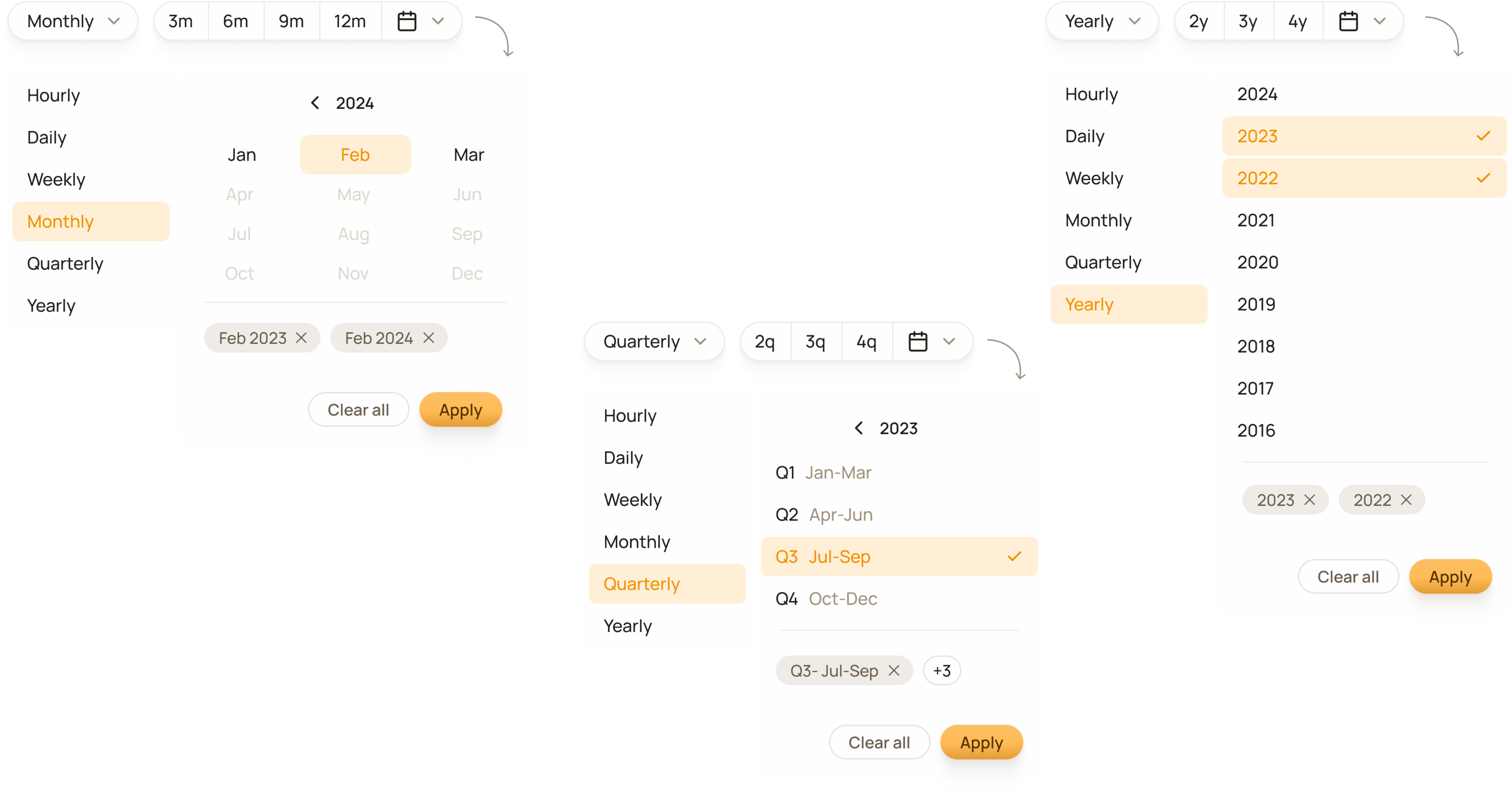
Switching between timeframe options is easy, accommodating quick changes users may make during a workflow.
One customer’s comment that the tool offered them no value whatsoever was difficult to read. Their selection of datasets was limited due to their use of the rest of the product and their lack of external data.
Product Owner / Two Engineers / One Designer / Chief Strategy Officer
I led the product design from discovery through launch, covering the full design process. I conducted domain and user research and defined the feature’s concept, structure, interaction model, and configuration logic. I defined the user experience, visual design patterns, and underlying logic.
I specified how datasets, aggregation methods, chart types, and colour systems should work together to meet universal data visualisation standards and prevent unsupported combinations.
I planned and executed design validation, analysed the findings, conducted a heuristic audit, and refined the experience before launch. I defined and designed the help, guidance, and paywall concepts.