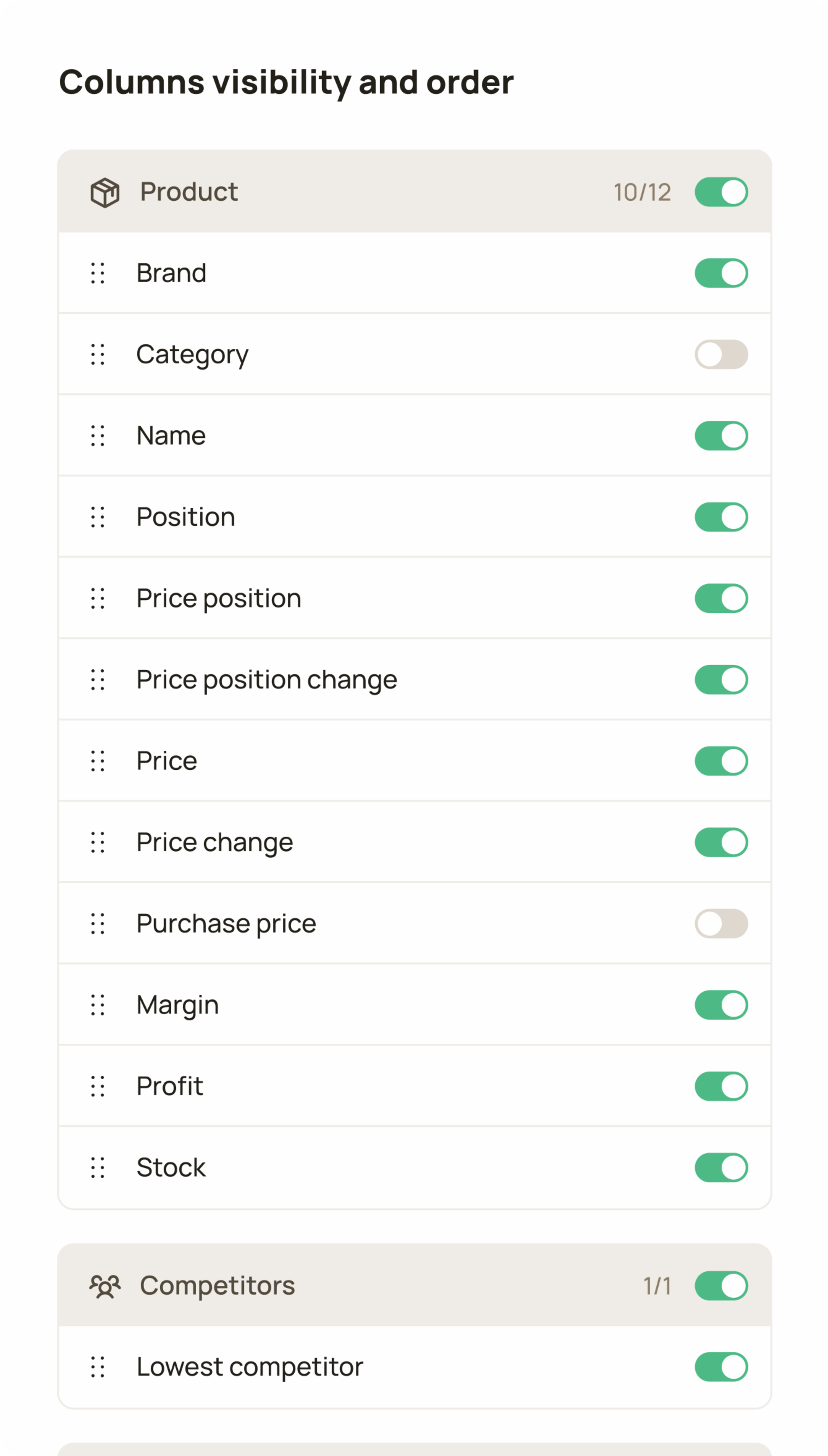
Users can fully customize column visibility and order. However, core attributes remain fixed to ensure the table always remains usable.
B2B / SaaS / Web App
Priceindx
Table is a redesigned legacy tool used daily by retail professionals like category managers, pricing specialists and others for operational decision making.
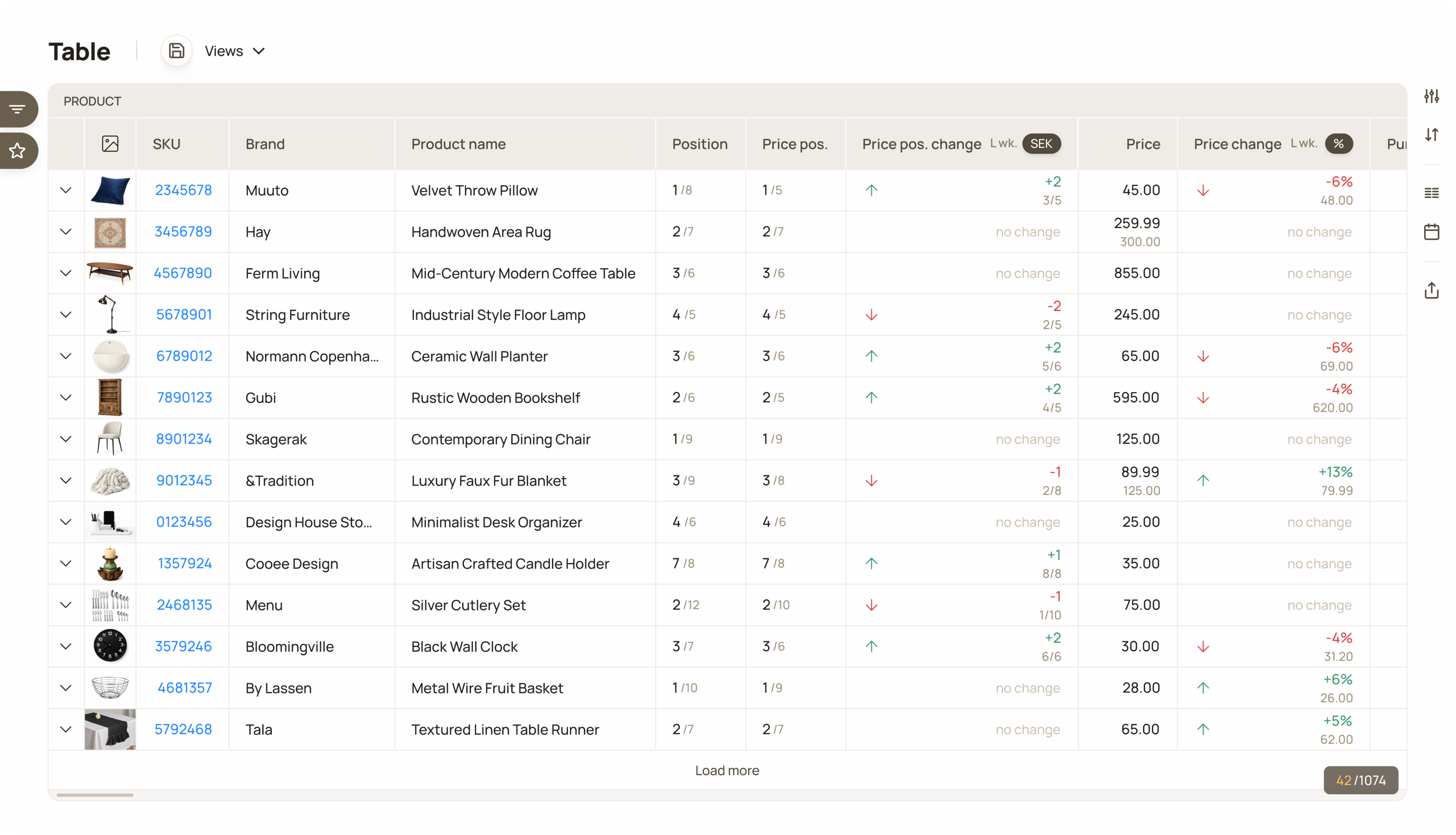
A new dynamic data table. All primary actions are placed on the right side, while global filters sit on the left and remain visible across the entire tool.
Adoption after launch was fast. Internal metrics showed strong usage early on, which was also reflected in customer feedback. Beyond the feature itself, its release improved overall satisfaction with the product.
4000+
Data exports generated
“Very positive.”
Customer quote
120+
Custom workflows created
“Really good.”
Customer quote
One customer invested in an ultra-wide monitor to see the entire table at once.
Customer feedback
Customers: 80+. Metrics have been anonymised, rounded and presented without a time frame to protect company confidentiality.
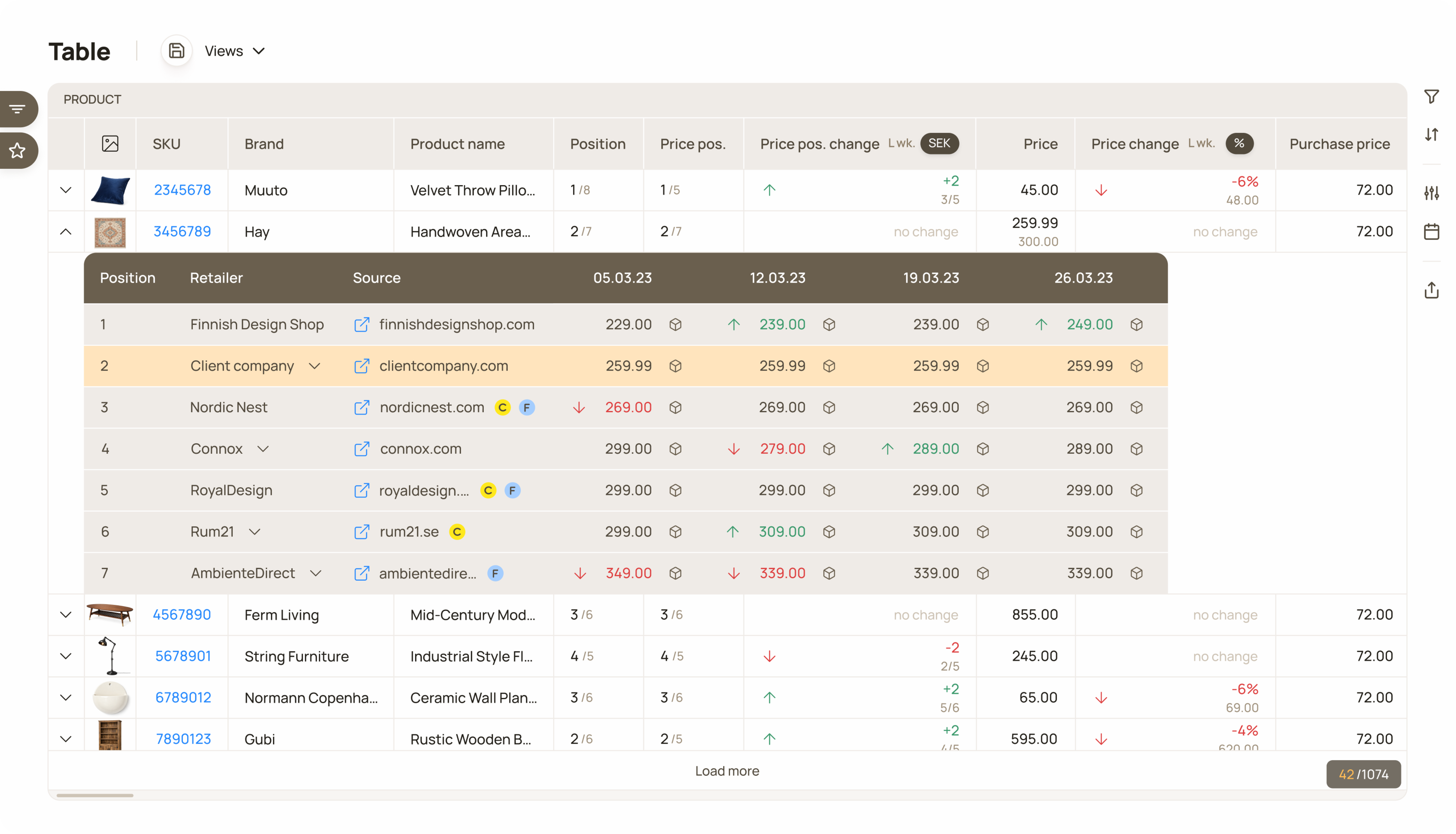
Each row opens a table of competitors’ offers, showing the customer’s product price is position in the market.
When I joined the company as its first designer, the data presentation tools were outdated and rigid. The list view was the first in line for redesign. The need for better solution had surfaced repeatedly over a long time through discussions with customers and support tickets.
The legacy tool was rigid and outdated, and it didn’t allow us to include all customer product data and the necessary functionality.
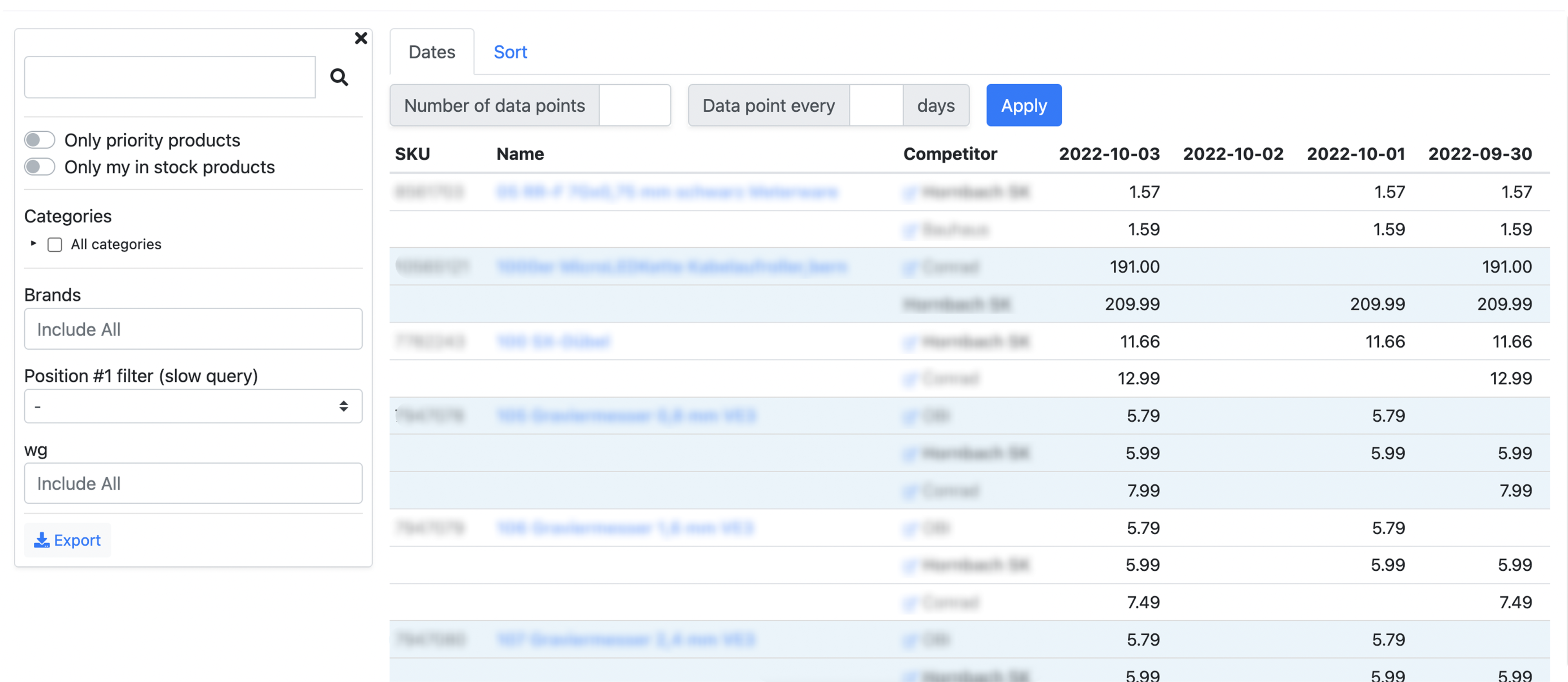
Legacy tool list view, despite it’s primitive look and functionality it served customers for many years.
During the ideation I realised that customers needed something structurally more robust and powerful than a simple product list view. In many cases, they needed an access to the list view from other parts of the product, where they wanted to identify specific articles behind on certain data points.
We decided to build a dynamic data table that includes all product information, needed functionality, is accessible from anywhere in the product and can handle growing data.
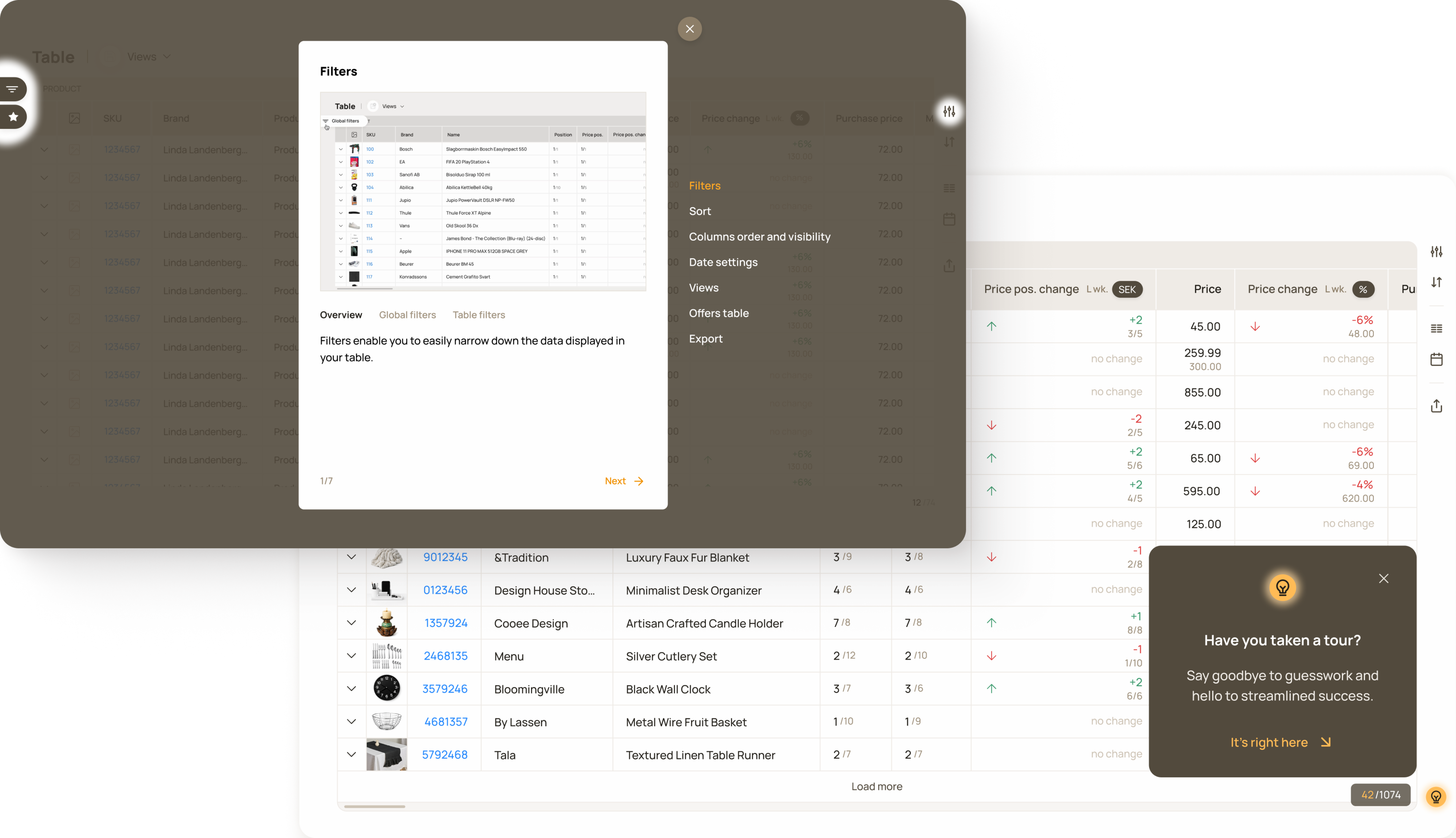
When user interacts with the table first time, a pop-up appears on the bottom right corner that encourages users to take tour.
I chose batch filtering instead of per-filter fetching. Per-filter fetching would have triggered a request on every interaction, significantly increasing load times.
Users can fully customize column visibility and order. However, core attributes remain fixed to ensure the table always remains usable.
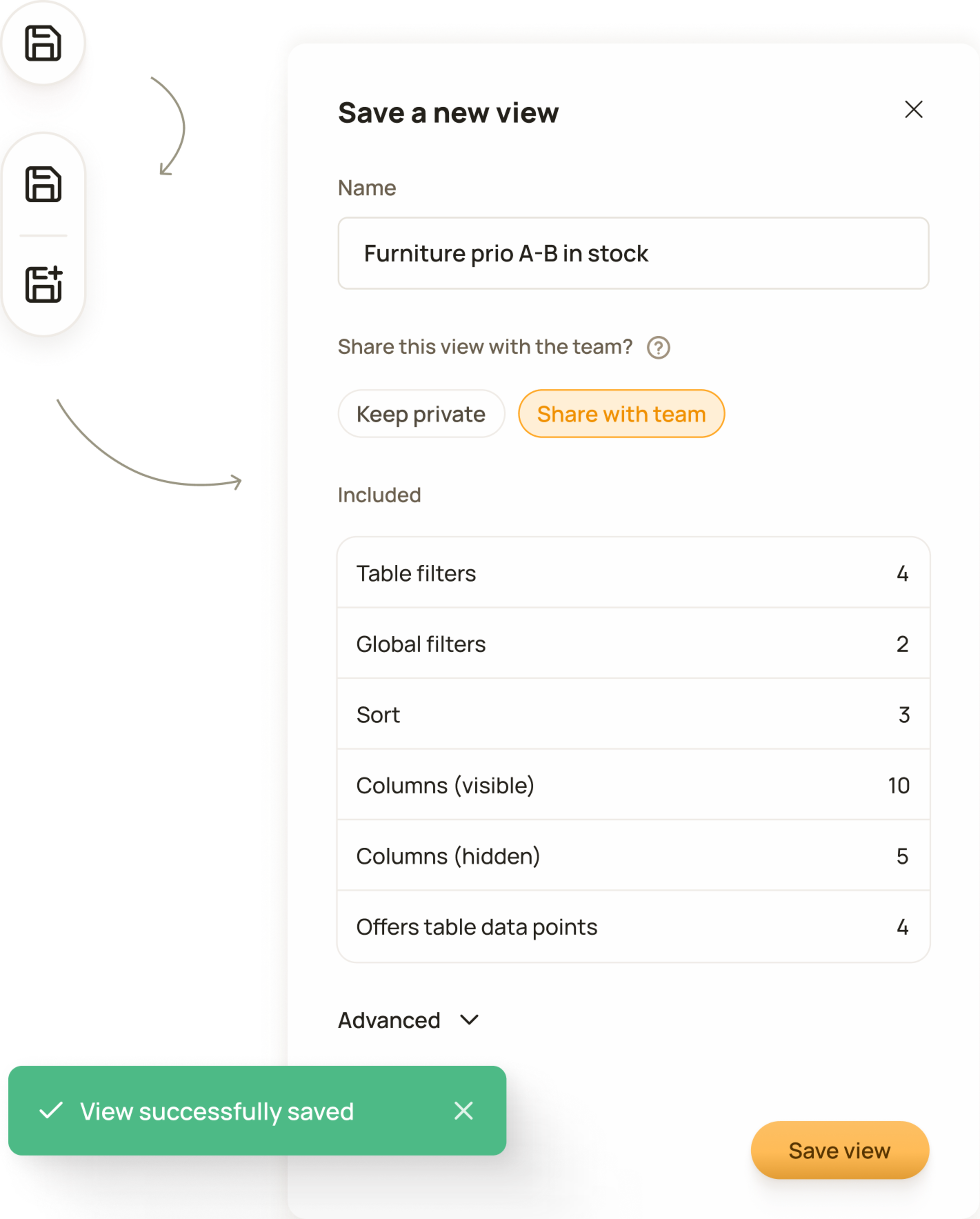
Designed for daily product management workflows. Users can configure a table view once and save it for quick, repeated access.
I used user-initiated incremental loading instead of infinite scroll. Requesting all the data from the backend at once would have meant much longer loading times.
Users can choose how they see the price position change, in currency or in percentage.
For testing, I chose an unmoderated testing approach with a group of six customers, including enterprise clients, for whom we released the beta version for approximately two weeks and gathered feedback through an online survey.
Feedback revealed a need for extra functionality, with export being the most requested feature, which had been planned already but was not included in the beta version.
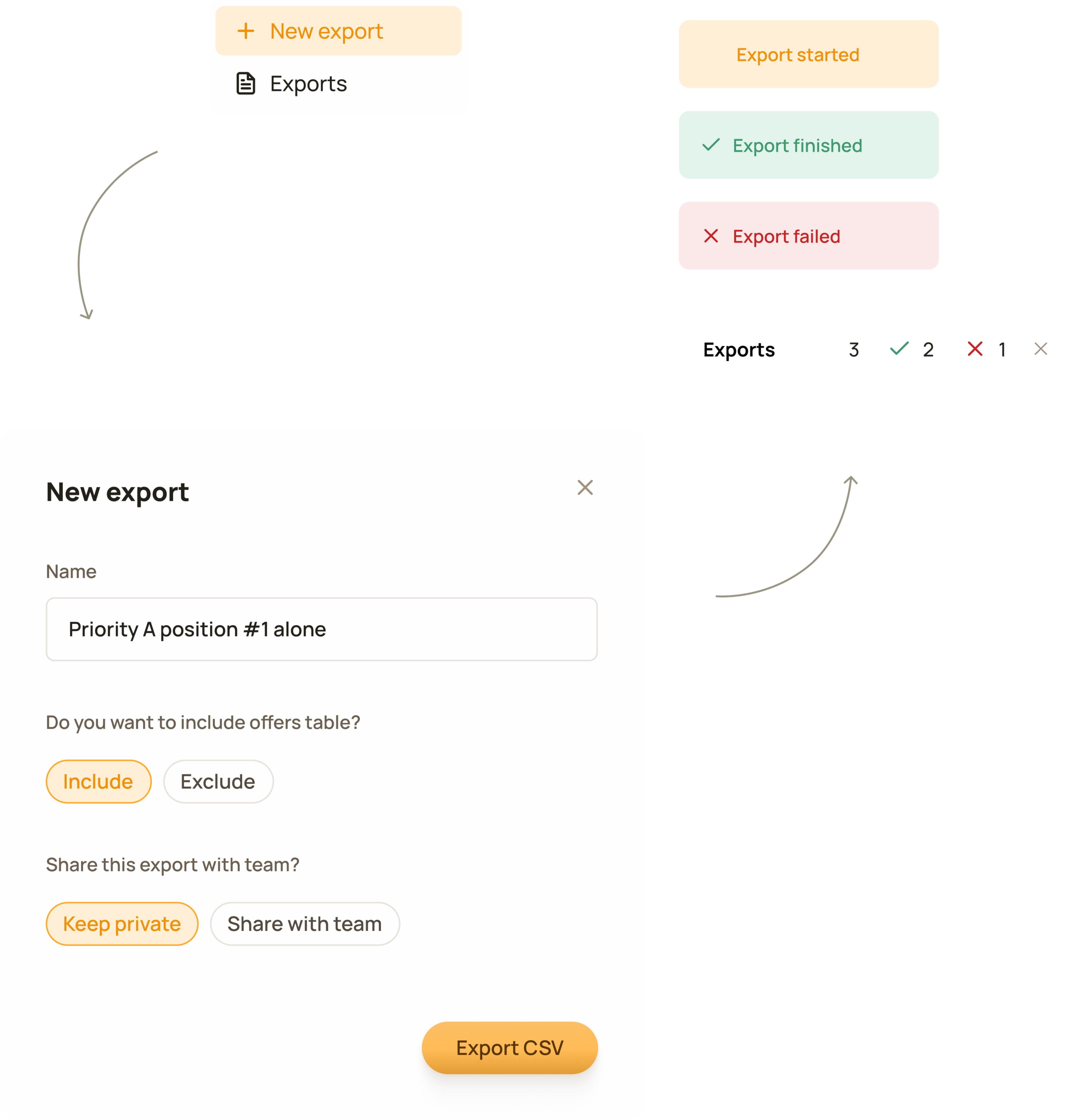
Export - a widely used feature. Exports can take time to process. To help, we allow users to run multiple exports at once and easily track their progress.
Now looking back I would redesign sort functionality. Though the solution seemed logical back then due to the number of columns I don’t think it was the right decision, simple function was made too complicated. One customer even mentioned it in the survey: “I would like to be able to sort by clicking directly on the label (as we would in an Excel sheet), instead of having to add a sorting through the sort settings.”
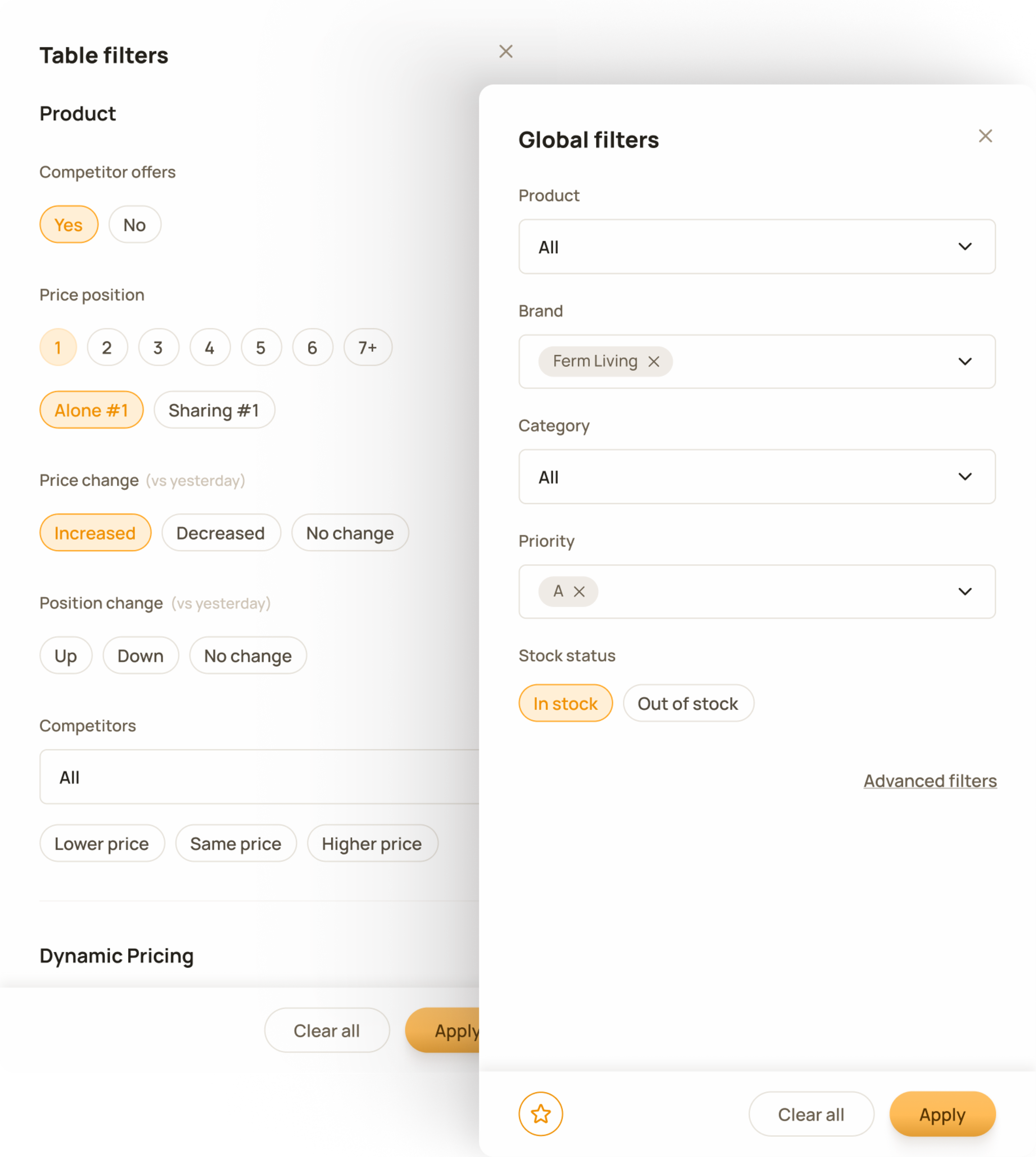
Global filters operate at product level. Selections made in one tool persist across the product, ensuring a continuous workflow.
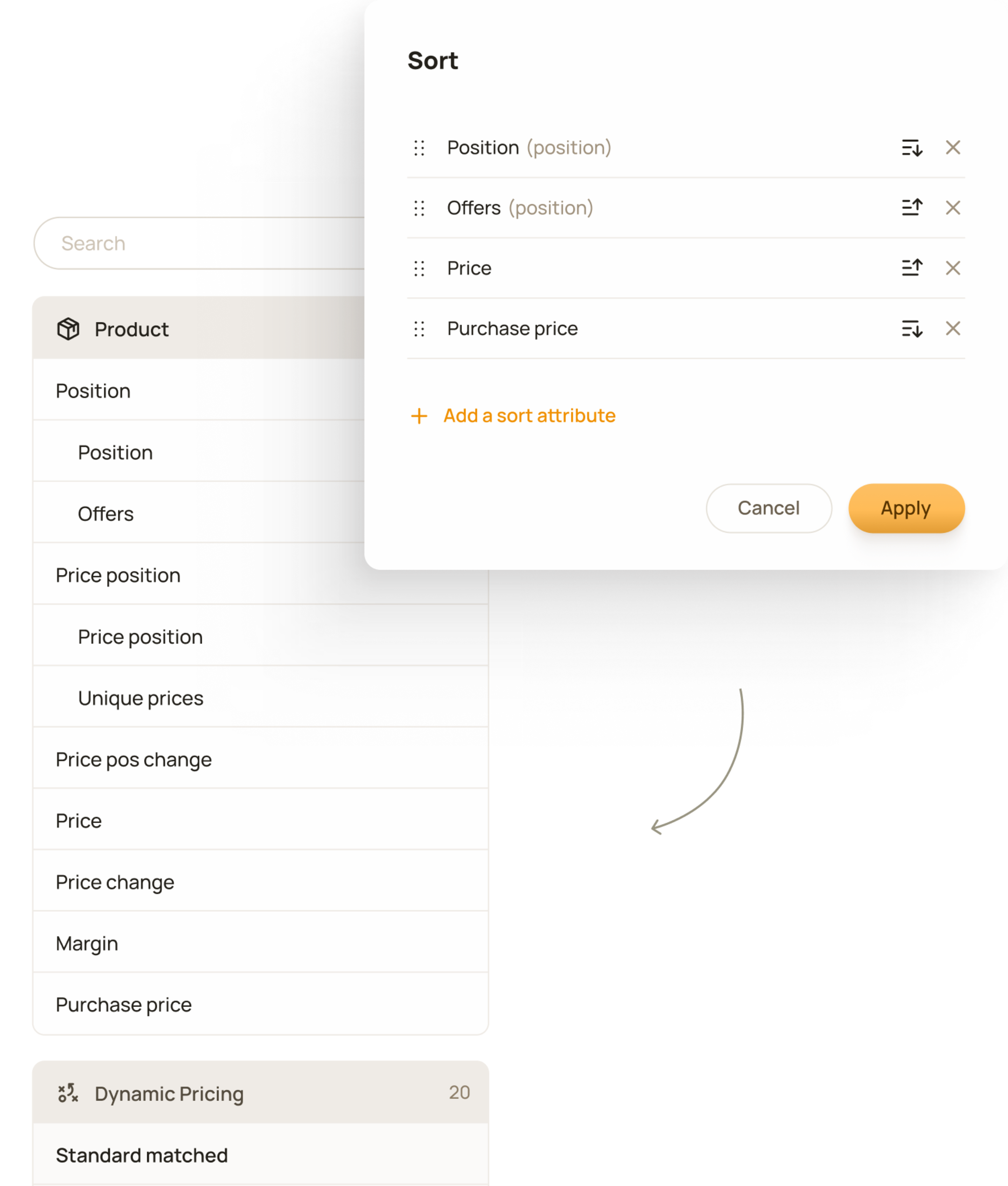
Users can sort by any quantitative value in the table, add multiple sorting criteria, and define their priority.
I would go with “on-column” sorting instead. It’s the pattern that best matches most users’ mental model of how sorting should work in data tables.
Product Owner / Two Engineers / One Designer / Chief Strategy Officer
I led the redesign from research to post-launch iterations. I made domain and user research, defined the user experience and visual design patterns and logics.
I made the core interaction decisions, including data organisation, column customisation, scrolling, batch filtering, incremental loading, saved views, sorting, and more, based on data complexity, and infrastructure constraints.
I planned, executed and analysed beta testing, and defined and designed the help and guidance concept.